User Experience Engineering
Friday, December 27, 2013
Google Should Buy Inuit, Crush PayPal
Intuit has its own cash-register size POS system and mobile payments device GoPayment. It has announced integration with Square via Square-Quickbooks integration. It has freebie Mint.com, and three paid tiers of the mobile-plus-desktop Quicken 2014.
 |
| That big green rectangle in the top left is Google, at $373B http://www.marketwatch.com/tools/stockresearch/marketmap |
Money Required
- $373B - Google Market Cap
- $70B - Ebay Market Cap (including PayPal)
- $21.8B - Inuit Market Cap
- $12.4B - Google acquired Motorola for $40/share
- $341M - Square Total Funding
People Have Said So Over Time
- Donna Bogatin in March and August 2007.
- Andrew Carr in 2007
"...in 1995, Microsoft tried to acquire Intuit, only to be thwarted by the Justice Department's antitrust regulators. (That marked the real beginning of Microsoft's legal woes.) Even though, in the long run, Google could end up an even bigger monopoly than Microsoft, I don't think it would run into antitrust problems if it tried to buy Intuit today. (If it waits, though, all bets are off.)" - http://www.marketingpilgrim.com/2007/03/should-google-buy-intuit-or-freshbooks.html

Now, it is much more of a group show. If ever there was a time that Google could acquire Intuit, and claim it was not a monopoly, it is now.

Sure, Android OS has 81% marketshare, but most Android is not on a Google/Motorola device. In fact, Google/Motorola are not even ranked in Gartner's latest article on smartphone marketshare. The newest Kindle Fire HDX is an Android device owned by Amazon, and used to promote its content. Apple is the largest corporation of any kind on the Market Map, and takes 56% of the mobile profit. A great argument can be made that Google is avoiding antitrust issues by being everywhere, and sharing its technologies.
The only question remaining is will Google build or buy the parts of its payment flow machine? They could acquire one or more of the Google Apps vendors with related technology. They might be building their own, and choosing to reveal it when the quality is impeccable. They are playing their long game again.
But, the easiest route to owning the cash register is buying Intuit and Square. It's not too late.
Are you a medium-sized business? Intuit has an army of resellers that can hook you up with the "full POS" solution; software, hardware, and integration.

Are you a small business? Amazon has the the whole shebang in a box.


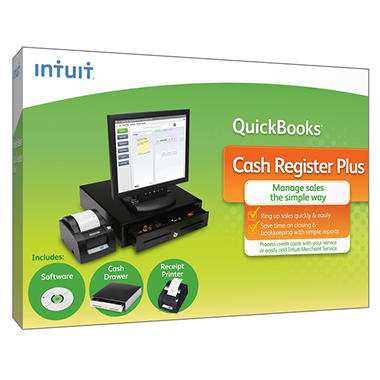
Are you a mom-and-pop brick and mortar? Sam's Club has the software.


posted by
 Monte Hayward : December 27, 2013 6:40 PM
permalink
Monte Hayward : December 27, 2013 6:40 PM
permalink
Google Wallet Targeting Paypal Head-on
- Ubiquity - Google is integrated practically everywhere.
- Big Data necessary to speak to location, pricing, reviews.
- A mobile phone company of its own: Motorola.
- Google Apps - personal and business.
- Brand Reputation * - a history of following the principle, "Don't be evil", versus a history of complaints.
- Free Labor and Channel Control
- Mash-up ease - Google has made a great many APIs available, and welcomes incoming technology in Google Gadgets, except gadgets that take money.
- Publishing platforms with a longterm policy that accept Google Gadgets, and mostly reject custom scripting.
- Head starts in nonprofit and mobile giving: Google Nonprofits, One Today
- Respectable presence in eCommerce: Google Shopping
- Google Ads
- Google Analytics

*Brand Reputation
One could argue that PayPal has a substantial head start at creating ill will. I have my own biases about both companies. To casually quantify or qualify the reputations, I used Yahoo search, factoring out the possibilities of a Google Search bias against Paypal, and a Bing bias against Google. Look at the qualitative difference in result content: Paypal complaints. (2.52M results on Yahoo) Google Complaints (1.75M). One could easily dismiss the quantitative difference, because PayPal has been around longer, and might be accumulating complaints at the same rate. However, most Internet users have received some services from Google for free. PayPal and eBay have long been associated with gray market transactions. eBay recently won a Supreme Court ruling, having been implicated in a copyright infringement case.Mash-ups and Publishing
I have an idea of what would wipe out PayPal's head start over Google Wallet...
Thursday, March 07, 2013
Does Blogger Still Allow Script Tags?
Here is a span without script tag in it:
no script tag
Does Blogger Still Allow Script Tags?
Yes, apparently. Here is a span with a script tag in it:
Tuesday, November 13, 2012
IntelliJ IDEA - product feedback
IntelliJ IDEA - JetBrains "Send Your Feedback"
Are you generally satisfied with IntelliJ IDEA? How do you rate the product?
Yes. 7 out of 10What features appear most useful?
Ability to parse, format, and refactor JavaScript. JavaScript JSLint, JSHint, and autocomplete.Better than WebStorm for me, because I need to do likewise with Java files.
Are there any problems?
CPU Hogging
Priority 1, Severity High: CPU usage climbs to 300% when the IDE is not doing much of anything (no editing in progress).I have read many bug reports and message boards about this (some sources of this behavior fixed). I have updated the application frequently. Still happens frequently. I suspect there is some endless recursion having to do with file indexing and/OR compiling. Notably, the four developers within earshot of me have only one application that regularly makes their CPU fans go berserk.
"Move Line" Munges Code
Move Line Up (Down) is trying to be too smart, sometimes dragging comments and other unselected lines with it. Eclipse does this as I would expect.Repository Unavailable? Development Blocked.
Start up IntelliJ IDEA when the repository is not available (no wifi, vendor site down, etc). I would expect to be able to edit code immediately. IDEA churns, and hogs the CPU, and throws up a Wait cursor.Priority 3:
Version Control Awkwardness
SVN version control is not very granular or easy to follow. In Eclipse, the results of a sync or diff are obvious; the corresponding panel opens. IntelliJ IDEA will report "Synchronize Finished" in the status bar, and not show me the results. The user then must infer whether to open Version Control or Changes Views, and what to do there. Selecting a Directory context menu / Synchronize seems to produce a synch list for the whole workspace, instead of that module.Resource hogging.
25453 myUserName IntelliJ IDEA 1.5 69 1.25 GB 1.53 GB Intel (64 bit) 2:11:07.17 NoAre there any features you'd like to have but did not find in IntelliJ IDEA?
Indexer > "Ignore Files"
Right-click and tell the indexer exclude certain directories. Without this, "Open File" produces compiled class files, copies of js files, and other resource copies. This makes the index larger, slower, and presents opportunities to edit the wrong copy of a file. Similar to SVN Ignore, this feature would match patterns or individual files/directories.Resolve JavaScript References in other files
Ability to resolve JavaScript resources, given a path, a list of files, an ANT concat target, etc.Show whitespace characters when selected
Sublime Text 2, instead of the preference hide/show whitespace, will show whitespace only when it is highlighted (selected). Very useful and subtle, and non-distracting, IMO.Built-in keymap for Mac OS X Eclipse
Both Webstorm and IDEA lack this. You can get an Open-Source XML file and configure it (in different places for those two IDEs). Seems like this should be included, like the Windows one.
Thursday, April 14, 2011
Mootools intrudes on native JSON and Crockford's json2.js
"foo": [[1, "string", "anotherstring" {object:true}]]
I expect output like this from JSON.stringify:
"foo":[[1, \"string\", \"anotherstring\" {object:true}]]
And I get it, from native JSON, from json2.js, and from the older YAHOO.lang.JSON.
Mootools returned:
"foo":"[[1, \"string\", \"anotherstring\" {object:true}]]"
The object attribute was represented as a string!
So, I dug into the reasons why the shiny new JSON2 library had this issue, and only with Mootools present. Here is some history, and results of debugging.
- Collisions between Mootools JSON.js and browser-native JSON were tragically ignored by mootools devs in February 2009: https://mootools.lighthouseapp.com/projects/2706/tickets/607-native-json-support-in-firefox-31
- Another collision report (November 2009) was closed wontfix after sitting a year: https://mootools.lighthouseapp.com/projects/2706/tickets/796-mootools-jsonencode-vs-json2-jsonorg-jsonstringify
- Some effort was made to address issues in Mootools 1.3.1, February 15, 2011: http://mootools-users.660466.n2.nabble.com/Moo-Native-JSON-encoding-and-decoding-td6019259.html
    typeof value.toJSON === 'function') {
       // (JSON2's test now returns false, so the serialization is handled by JSON, not Mootools)
Below is the nitty gritty of how Mootools 1.2.4 can break JSON2.
Mootools 1.2.4
Here's the line where Crockford's JSON2.js tries to optimize by using a native method:
    function str(key, holder) {
        ...
// If the value has a toJSON method, call it to obtain a replacement value.

        if (value && typeof value === 'object' &&
                typeof value.toJSON === 'function') {
            value = value.toJSON(key);
        }
Execution steps into Mootools' intrusive method:
Native.implement([Hash, Array, String, Number], {
 toJSON: function(){
  return JSON.encode(this);
 }
});
Mootools $type function returns 'array' for a literal []. (Standard typeof operator returns 'object')
obj.$family.name // property $family was added by Mootools
Thursday, September 16, 2010
LinkedIn.com Naked. Again.
I've seen this a few times in the past 3 weeks. Thought it was an intermittent glitch, connection problem, CDN. Today, I've seen it in Chrome and Firefox (FireBug enabled and Firebug disabled).
The everyday user sees something like screenshot 1.

The FireBug-using developer types can see that LinkedIn's CDN, and the JavaScript that calls it, are in a world of hurt.

LI_WCT is not defined
[Break on this error] LI_WCT([
nhome (line 619)
LI is not defined
[Break on this error] LI.i18n.register( 'share-dialog-title', 'Share' );
nhome (line 2850)
LI is not defined
[Break on this error] LI.i18n.register( 'Dialog-closeWindow', 'Close this window' );
nhome (line 4116)
ChameleonService is not defined
[Break on this error] ChameleonService.setPanel('1', {div: d...panel-01'),txId: '0', maxSlots: 15});
nhome (line 10635)
LI is not defined
[Break on this error]
nhome (line 10804)
LI is not defined
[Break on this error]
nhome (line 10805)
LI_WCT is not defined
[Break on this error] LI_WCT([
nhome (line 11008)
LI is not defined
[Break on this error] LI.Controls.processQueue();
nhome (line 11160)
YEvent is not defined
[Break on this error] YEvent.onDOMReady(function() {
nhome (line 11244)
LI is not defined
[Break on this error]
nhome (line 11286)
YEvent is not defined
[Break on this error] YEvent.on( window, 'load', function() {
nhome (line 11310)
YEvent is not defined
[Break on this error] YEvent.on( window, 'load', function() {
nhome (line 11339)
appendTryNewEditorButton is not defined
[Break on this error] appendTryNewEditorButton(); Labels: CDN, javascript, linkedin
Thursday, July 22, 2010
Mind Mapping on iPad: Enough Room for Thinking?
I'm not convinced that you can get your mind outside-the-box by working on a little box. There's also a disconnect that occurs, I think of a new node. Then I must switch to gizmo-futzing mode in order to create the node container. Then typing mode. The keyboard grabs up about half the screen. These "not-conceptualizing" steps disrupt the free association and flow of the exercise.
iThoughtsHD
http://www.ipadmindmap.com/iPadMindmap/Welcome.html
I ran this as an app trial for iPhone and found it to be cool, but the maps are too complex and sprawling for the iPhone display. Two positive points: First, It can explore and some thoughts when you are in tight quarters, like a waiting room or airplane seat. Second, it was the only mind mapping app I kept on my iPhone.
MindMeister for iPad
http://itunes.apple.com/app/mindmeister-for-ipad/id381073026?mt=8
They ported it to iPad. Work locally until in-range of wifi, then it auto-syncs with server. First few reviews are mixed.
Labels: cognitive exercise, mind map, mind mapping
Wednesday, May 26, 2010
Output a List of Firefox Extensions
- Type about:config into your address bar
- (You may get "void warranty" warnings. Proceed.)
- In the Filter box, type extensions.enabledItems
- Right-click on the result, and Copy.
- Paste into a text file.

extensions.enabledItems;firebug@software.joehewitt.com:1.5.4,{3d7eb24f-2740-49df-
8937-200b1cc08f8a}:1.5.13,{d10d0bf8-f5b5-c8b4-a8b2-2b9879e08c5d}:1.2,{3112ca9c-
de6d-4884-
a869-9855de68056c}:7.1.20100408Mb1,foxmarks@kei.com:3.6.15,checkplaces@andyhalford.com:
2.2.1,{3c6e1eed-a07e-4c80-9cf3-66ea0bf40b37}:2.2,yslow@yahoo-inc.com:2.0.7,{AB7308B2-
C13C-4eba-
AC78-2AD55B96EE09}:3.0.0,csscoverage@spaghetticoder.org:0.2.1,closureinspector@google.com:0.9.5,{e3f6c2cc-
d8db-498c-af6c-499fb211db97}:1.8.1,{972ce4c6-7e08-4474-
a285-3208198ce6fd}:3.6.3
For Extra Credit, Go into vi and make the list more readable:
vi the_list.txt
:% s/[,]/\r/g

extensions.enabledItems
firebug@software.joehewitt.com:1.5.4{3d7eb24f-2740-49df-8937-200b1cc08f8a}:1.5.13
{d10d0bf8-f5b5-c8b4-a8b2-2b9879e08c5d}:1.2
{3112ca9c-de6d-4884-a869-9855de68056c}:7.1.20100408Mb1
foxmarks@kei.com:3.6.15
checkplaces@andyhalford.com:2.2.1
{3c6e1eed-a07e-4c80-9cf3-66ea0bf40b37}:2.2
yslow@yahoo-inc.com:2.0.7
{AB7308B2-C13C-4eba-AC78-2AD55B96EE09}:3.0.0
csscoverage@spaghetticoder.org:0.2.1
closureinspector@google.com:0.9.5
{e3f6c2cc-d8db-498c-af6c-499fb211db97}:1.8.1
{972ce4c6-7e08-4474-a285-3208198ce6fd}:3.6.3
Archives
March 2006 May 2006 July 2006 August 2006 January 2007 March 2007 April 2007 August 2007 March 2008 April 2008 August 2008 April 2010 May 2010 July 2010 September 2010 April 2011 November 2012 March 2013 December 2013
